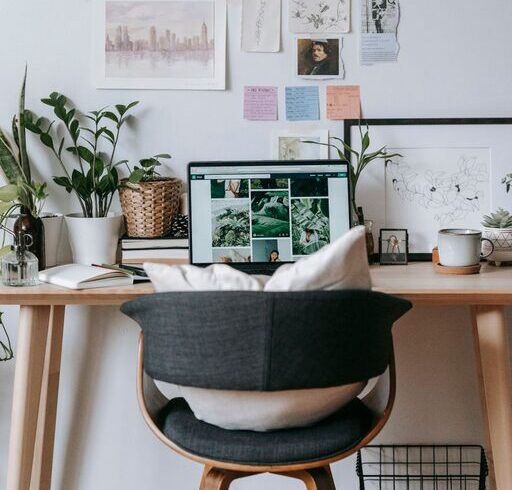
Creating a home office that’s both cozy and productive can significantly enhance your work-from-home experience. Whether you’re a remote worker, freelancer, or just need a dedicated space to handle tasks, setting up the right environment is key. This guide will walk you through simple, practical tips to transform any corner of your home into a comfortable yet efficient workspace.
Why a Cozy and Productive Home Office Matters
A well-designed home office can help you focus better, reduce stress, and maintain a healthy work-life balance. Cozy elements make the space inviting, encouraging you to settle in and enjoy your work, while productivity-focused design keeps distractions at bay and promotes efficiency.
Choose the Right Location
Find Natural Light
Position your desk near a window if possible. Natural light helps improve mood and alertness, reducing eye strain. If natural light is limited, invest in high-quality, adjustable task lighting.
Minimize Noise
Select a quiet spot away from household traffic or noisy appliances. Consider noise-canceling headphones or a white noise machine if you can’t avoid background sound.
Invest in Comfortable and Functional Furniture
Ergonomic Chair and Desk
Your chair should support your back and promote good posture. Adjustable chairs and desks let you customize the setup to your needs. Standing desks or desk converters offer flexibility and can reduce fatigue.
Adequate Desk Space
Ensure your desk has enough room for your computer, notes, and other essentials without feeling cramped.
Organize Your Workspace Efficiently
Declutter Regularly
Keep your desk neat to reduce distractions and improve focus. Use organizers, trays, or drawers to store supplies out of sight but within reach.
Use Cable Management
Tangled cords can look messy and create frustration. Use clips, sleeves, or zip ties to keep cables organized.
Incorporate Storage Solutions
Shelves, filing cabinets, or storage bins help keep paperwork and equipment tidy.
Personalize Your Space Wisely
Add Cozy Touches
Incorporate soft textiles like cushions, throws, or a small rug to add warmth. Choose colors that calm and motivate you, like blues and greens.
Display Inspiring Items
Add a few personal or motivational items, such as artwork, plants, or photos, but avoid overcrowding.
Optimize Technology Setup
Reliable Internet and Equipment
Make sure you have a stable internet connection and up-to-date devices that can handle your workload without lag or interruptions.
Efficient Screen Arrangement
Use external monitors or laptop stands to maintain ergonomic eye levels and increase screen space.
Keep Chargers and Accessories Handy
Designate a spot for chargers, headphones, and other gadgets to stay organized.
Manage Lighting and Ambiance
Layer Your Lighting
Combine ambient light with focused task lighting to reduce eye strain. Adjustable desk lamps can help customize your workspace lighting according to tasks.
Control Glare
Use blinds or curtains to prevent screen glare during daylight hours.
Create a Comfortable Temperature
A pleasant room temperature keeps you comfortable and alert. Use fans, heaters, or air purifiers as needed.
Build a Routine That Supports Productivity
Set Clear Work Hours
Define when your workday starts and ends to maintain balance and avoid burnout.
Take Breaks
Regular short breaks refresh your mind. Consider techniques like the Pomodoro method to stay productive.
Keep Hydrated and Snack Smart
Have water and healthy snacks on hand to keep your energy levels stable.
Incorporate Plants and Natural Elements
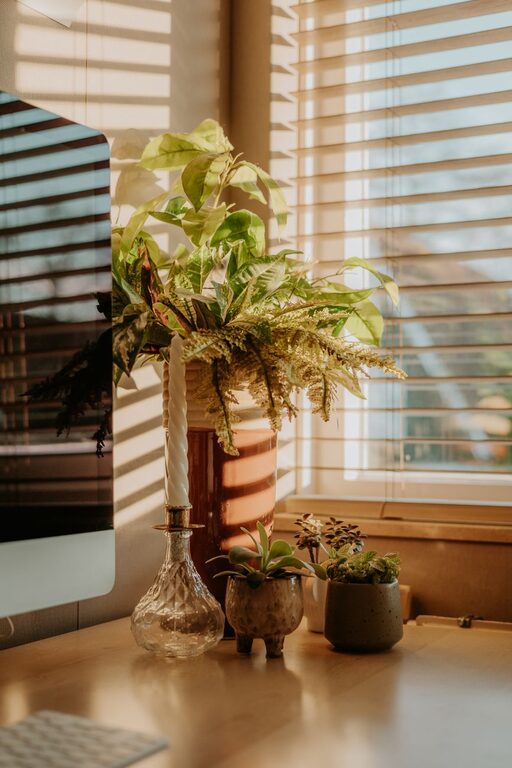
Adding greenery can boost mood, reduce stress, and improve air quality. Choose easy-to-care-for plants like succulents or pothos.
Maintain Flexibility and Comfort
Be ready to change your setup if it’s not working. Sometimes small adjustments in chair height, lighting, or desk position can make a big difference.
—
With these tips, you can create a home office space that feels like a welcoming retreat and a powerhouse for getting work done. Remember, the goal is to balance comfort with productivity so you can stay motivated and focused every day. Happy working!